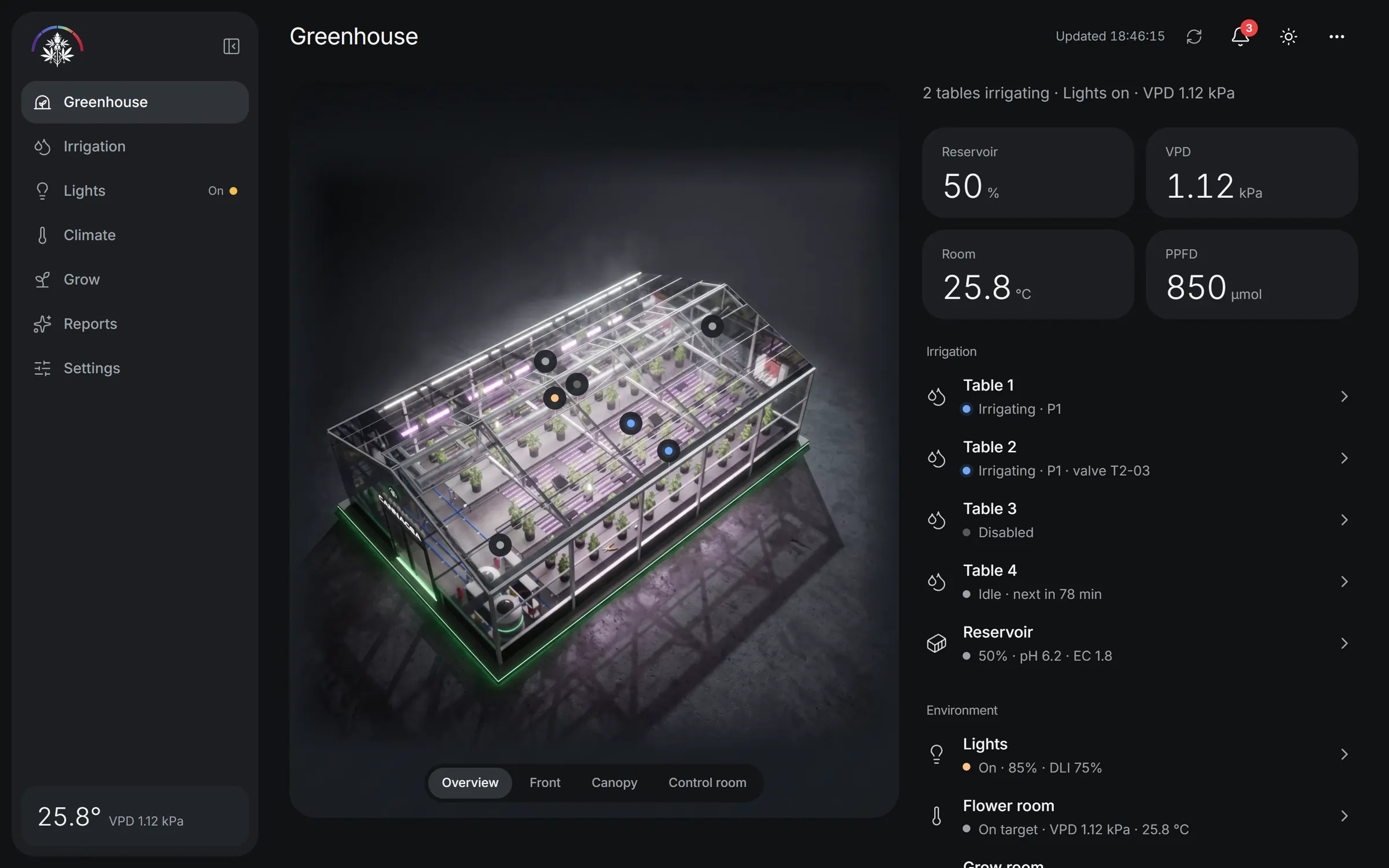
Greenhouse
The whole greenhouse, live in 3D
Every table, light and climate zone on one stage. Tap an area to open it, and the stage follows you through the app.


Irrigation, climate and lights in real time. Live readings, guarded controls and alerts that know what matters, on your phone, your desk and the wall of the room.
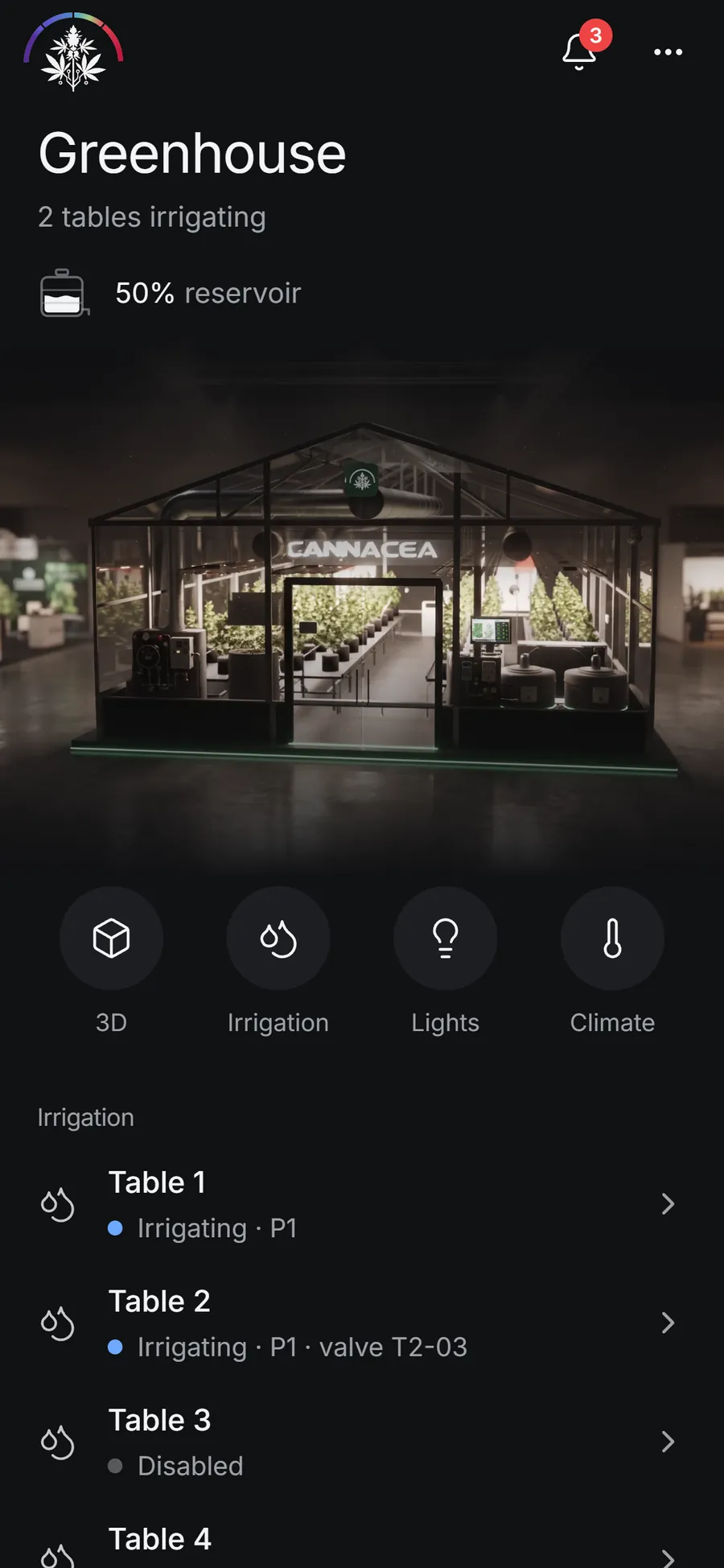
Every table, light and climate zone on one stage. Tap an area to open it, and the stage follows you through the app.
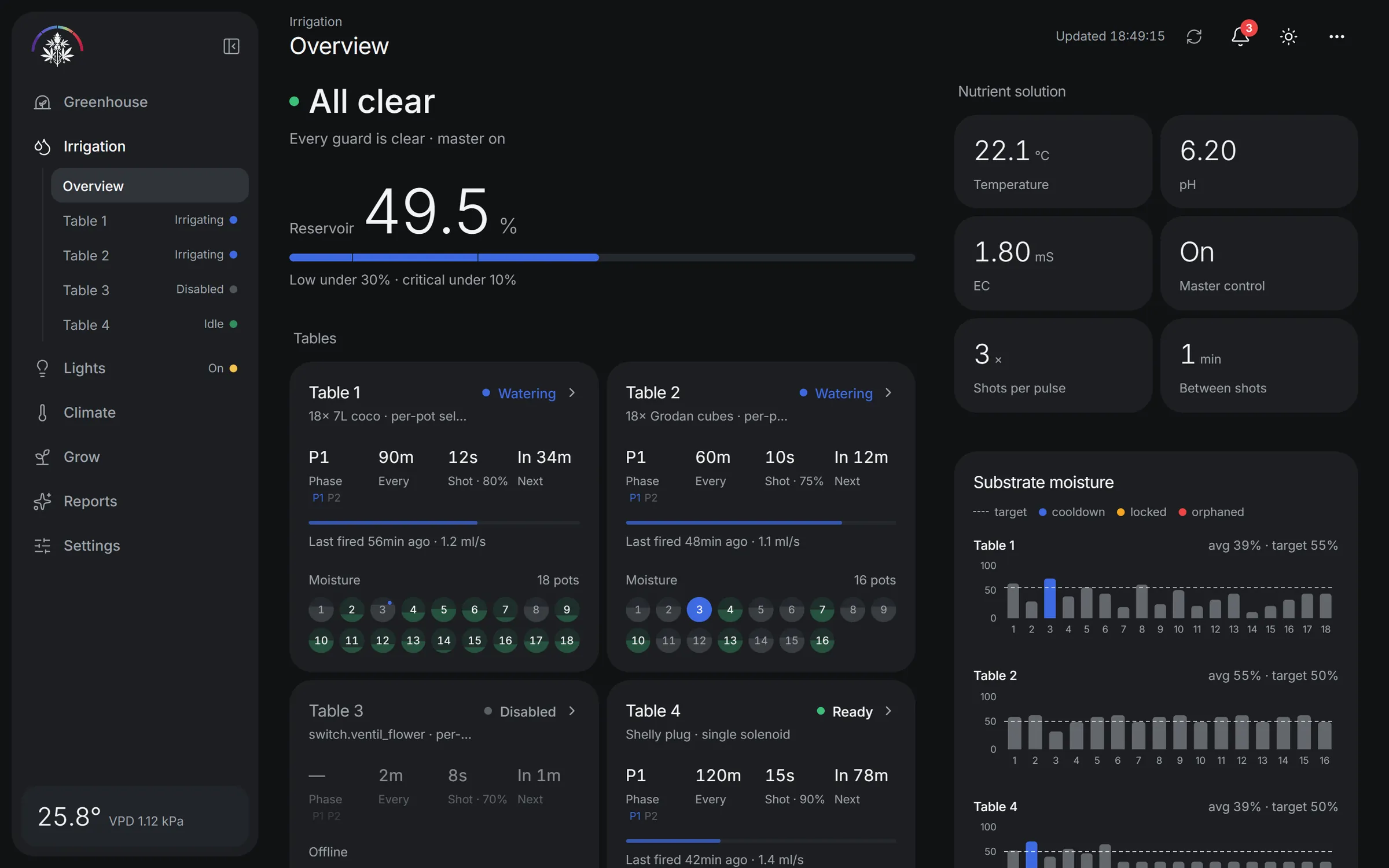
Reservoir, nutrients and per-pot moisture side by side. Every watering passes the safety guards first, and the app shows which one is holding it back.
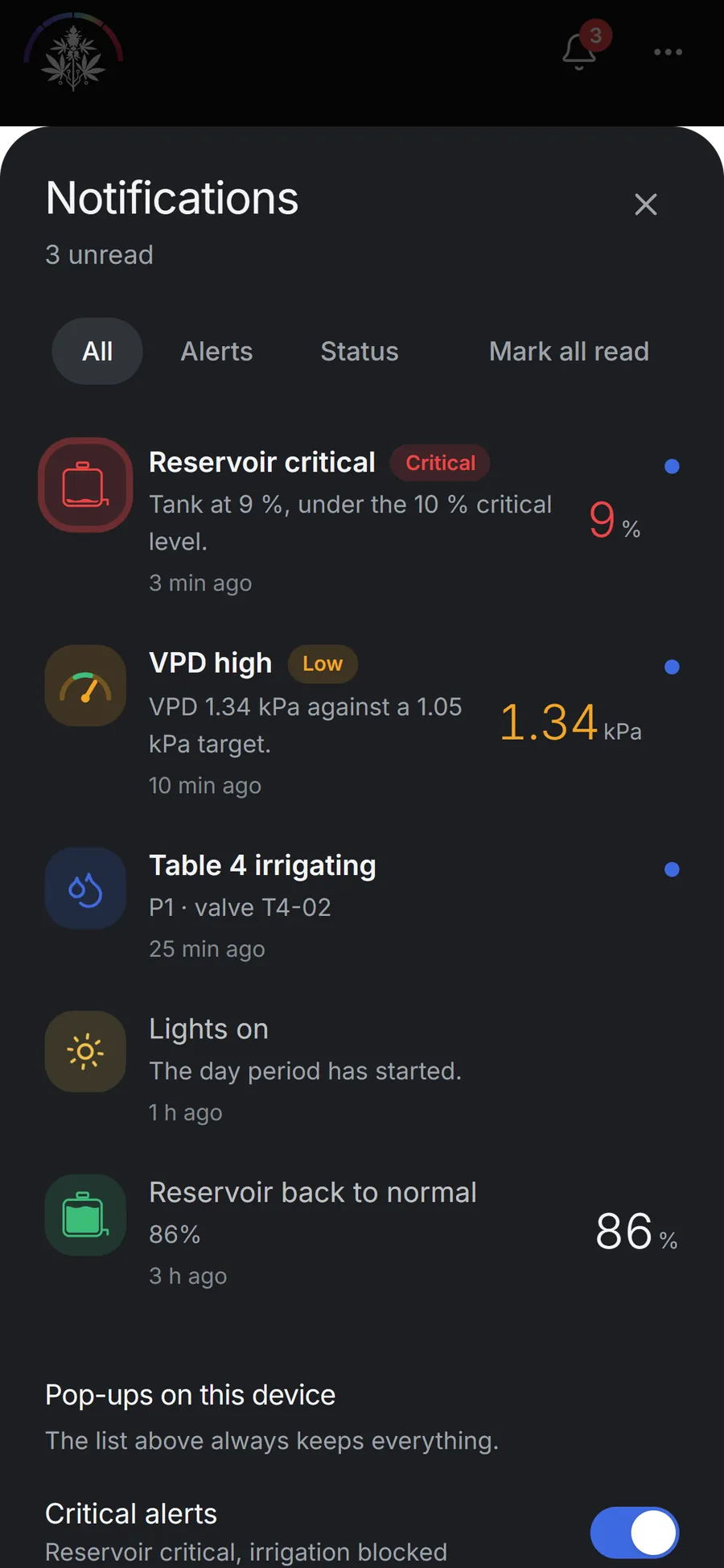
Critical, low and status levels, each on its own channel in the Android notification shade. Tap one and land on the screen that needs you.
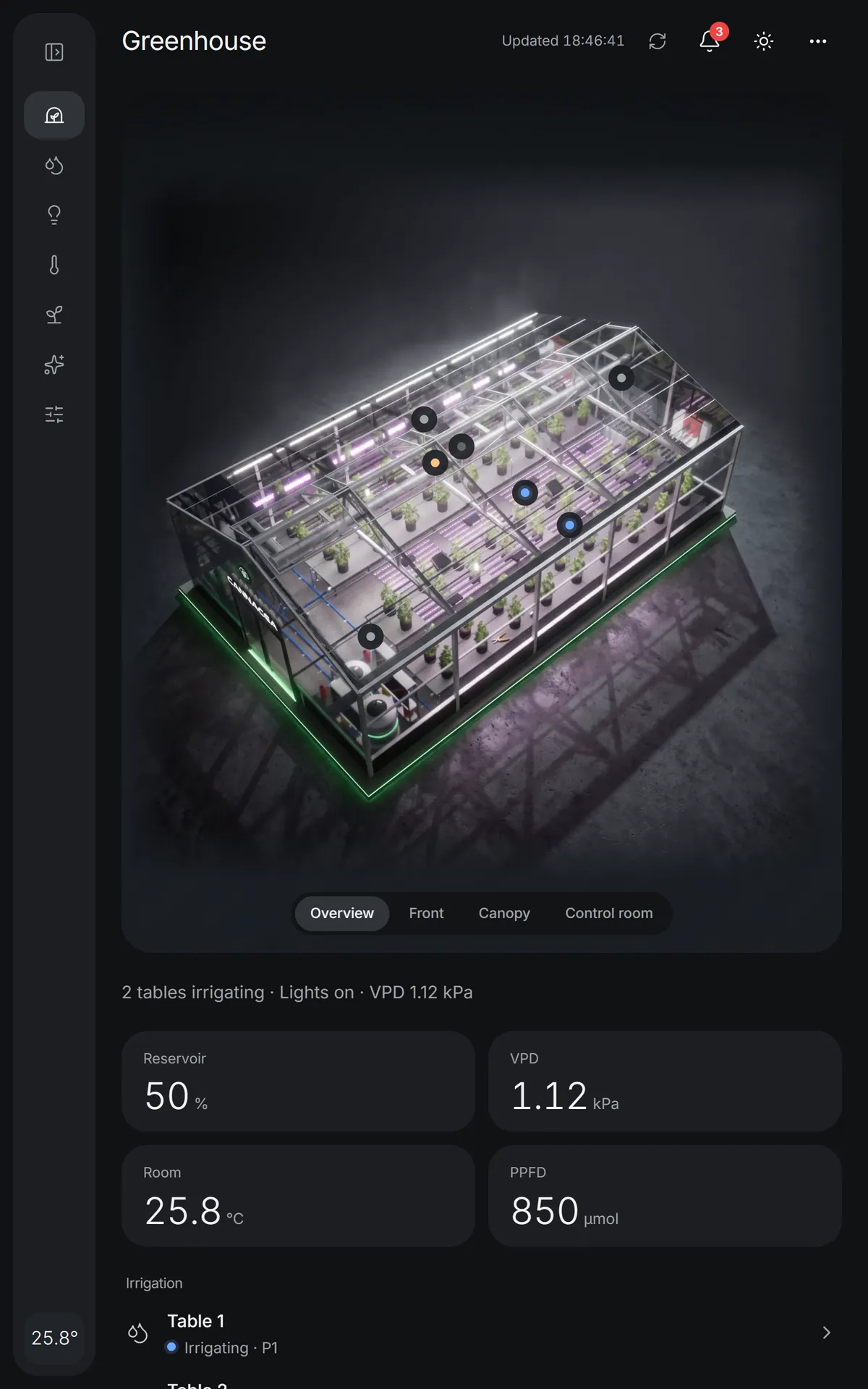
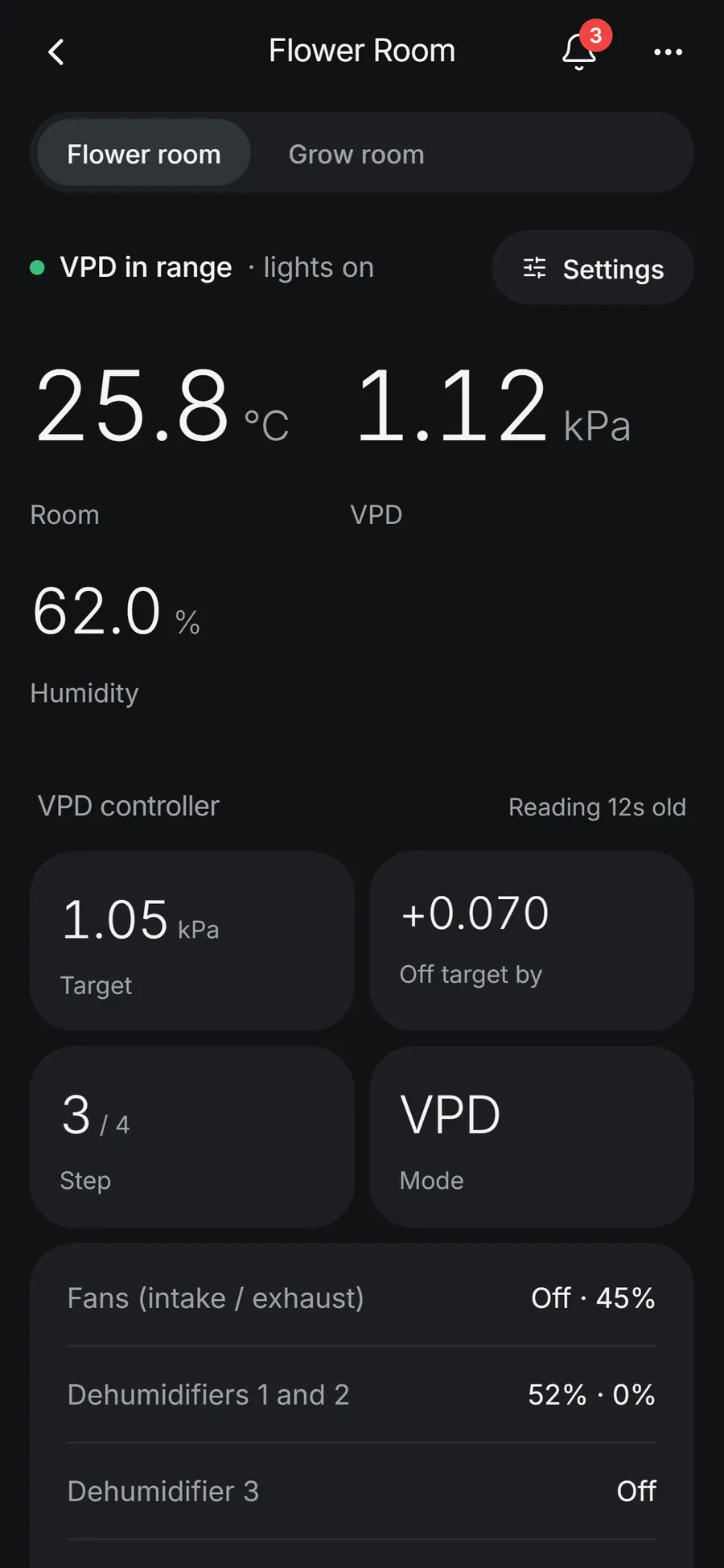
A workstation with a sidebar on the desktop, a control panel on a wall-mounted tablet, a remote in your pocket. One app, laid out for each.
Download for AndroidPhones and tablets running Android 7.0 or later.
Any modern browser, on a desktop or a tablet. Nothing to install.
Install the APK, or add the web app to the home screen for a full-screen panel by the door.
Simulated data, no controller needed. Sign in with the demo account.